





From Manual Records to Digital Management Systems
Discover how organizations can move from paper files and handwritten registers to structured digital systems that improve recordkeeping, reporting, coordination and operational efficiency.
Many organizations begin by recording information on paper. Sales are written in books, employee details are kept in files, stock is counted manually and reports are prepared from registers or spreadsheets.
These methods may work for simple operations, but they can become difficult to maintain as transactions, customers, staff and organizational activities increase. Digital management systems offer another way to record, organize, retrieve and use information.
1. Understanding Manual Recordkeeping
Manual recordkeeping is the process of collecting and maintaining information using physical documents or other procedures that depend heavily on human entry and calculation.
Common examples include:
- Writing daily sales in a sales book.
- Recording stock received and sold in a notebook.
- Keeping employee information in paper files.
- Using attendance registers to record staff, student or member attendance.
- Preparing financial summaries using handwritten ledgers.
- Storing customer details and correspondence in folders.
- Compiling reports manually from multiple documents.
Manual systems are familiar and may have low initial setup costs. However, their long-term suitability depends on the size of the organization, the volume of information and the level of accuracy, access and reporting required.
2. The Limitations of Manual Records
As an organization grows, paper-based records can become increasingly difficult to manage. Some common challenges include:
⏳ Time-Consuming Work
Staff may spend considerable time writing records, searching files, calculating totals and preparing reports.
❌ Human Errors
Handwriting mistakes, incorrect calculations, duplicate entries and incomplete information can affect record accuracy.
🗂️ Difficult Record Retrieval
Finding a specific transaction, customer file or historical record can be difficult when documents are not well organized.
🔥 Risk of Loss or Damage
Documents may be misplaced, destroyed by fire or water, or become difficult to read over time.
🔄 Repeated Data Entry
The same information may need to be copied into several registers or reports, increasing workload and inconsistency.
📊 Delayed Reporting
Managers may have to wait while information is collected, checked and summarized manually.
Important: Manual recordkeeping is not automatically unreliable. Well-organized paper records can be useful, especially for small operations. The challenge arises when the method no longer meets the organization's needs for volume, accuracy, speed, accessibility or reporting.
3. What Is a Digital Management System?
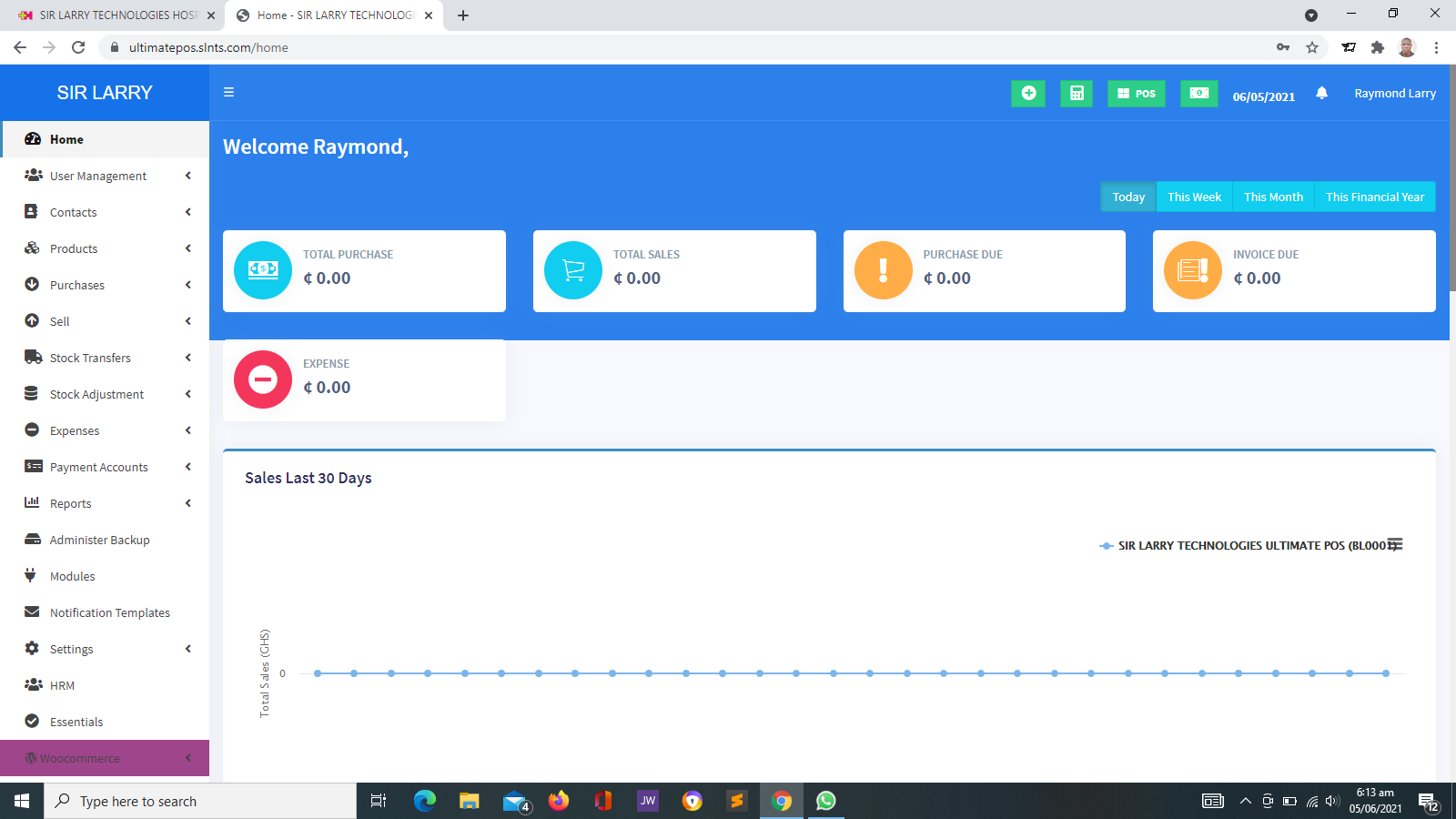
A digital management system is software that helps an organization store, organize, process and retrieve information electronically. Depending on its purpose, it may manage a specific activity or support several connected operations.
Examples include:
🛒 POS and Inventory Systems
Support sales recording, product management and stock tracking according to the system's features.
💰 Accounting Systems
Help organize income, expenses, invoices, payments and financial reports.
🏫 School Management Systems
Support student records, attendance, academic information and other school administration tasks.
👥 HR and CRM Systems
Help manage employee information or customer relationships, depending on the type of system.
🏥 Healthcare Management Systems
May support patient registration, appointments, laboratory workflows and reporting.
🏢 NGO and Church Management Systems
Can organize memberships, activities, projects, communications and other relevant administrative records.
4. Manual Records vs Digital Management Systems
The main difference is how information is captured, stored, retrieved, processed and shared. The following comparison illustrates typical differences; actual results depend on how each process and system is implemented.
| Area | Manual Records | Digital Management System |
|---|---|---|
| Data entry | Information is written by hand or entered into physical forms. | Information is entered through supported digital forms and interfaces. |
| Storage | Documents are kept in books, folders or filing cabinets. | Information is stored electronically in files or databases. |
| Searching | Staff may need to inspect documents individually. | Search and filtering tools can help locate records quickly. |
| Calculations | Totals may need to be calculated manually. | Supported calculations can be processed automatically. |
| Reporting | Reports are compiled from paper records. | Reports may be generated from recorded system data. |
| Sharing | Documents may need to be physically delivered or copied. | Authorized users may access or share information electronically. |
| Corrections | Changes may require rewriting or annotating documents. | Authorized users can update records, subject to system controls and audit features. |
| Backup | Copies may need to be made and stored separately. | Electronic backups can be configured, but must be monitored and tested. |
| Access control | Physical access restrictions may be used. | User accounts and permissions can restrict access when properly configured. |
5. The Benefits of Moving to Digital Records
When properly selected and implemented, digital management systems can help organizations improve their day-to-day administration.
⚡ Faster Information Retrieval
Users can search for records using available fields rather than checking large volumes of paper files.
🧮 More Consistent Calculations
Configured formulas and automated calculations can reduce some manual arithmetic errors.
📈 Easier Reporting
Systems can generate summaries and reports from available data, reducing repeated manual compilation.
🤝 Better Coordination
Authorized staff can work with shared information where the system supports multiple users.
🔐 Controlled Access
Individual accounts and permissions can help restrict sensitive information to authorized users.
📦 Improved Operational Visibility
Managers may be able to review sales, stock, attendance or other activities more consistently.
These benefits are not automatic. They depend on the quality of the software, the accuracy of the information entered, user training, suitable procedures and regular maintenance.
6. How Different Organizations Can Benefit
Retail Businesses and Pharmacies
A suitable POS and inventory system can record sales, maintain product records and help monitor stock movements. Depending on the system, it may also support transaction summaries and sales reports.
Schools and Educational Institutions
A school management system can help organize student records, attendance, examination information and other administrative activities. It can also make it easier for authorized staff to retrieve records when needed.
Churches
A church management system can support membership administration, groups, attendance, events and financial records where these features are available and properly configured.
NGOs and Foundations
Digital systems can help organize project activities, membership information, beneficiaries, volunteers, documents and reporting processes according to the organization's needs.
Healthcare Facilities
Appropriate healthcare software can support patient administration, appointments, laboratory workflows and results management. Sensitive medical information requires appropriate access controls and privacy safeguards.
Hotels and Service Businesses
Suitable management software can help coordinate reservations, customer records, service requests, invoices and other operational processes.
7. Signs That Your Organization May Need a Digital System
Not every organization needs to replace all its records immediately. However, the following signs may indicate that current processes need improvement:
- Staff spend too much time searching for records.
- Reports take several hours or days to prepare.
- Different departments maintain conflicting versions of the same information.
- Stock, payments, attendance or customer records are frequently inconsistent.
- Managers struggle to obtain timely information about operations.
- Important documents are regularly misplaced or difficult to retrieve.
- The organization is expanding and its current recordkeeping method is becoming difficult to maintain.
- Customers or service users need online services that current processes cannot provide.
- Staff repeatedly enter the same information into different records.
Practical advice: Identify the specific problem before purchasing software. The best solution is one that addresses a genuine operational need rather than introducing technology simply because it is available.
8. How to Move from Manual Records to a Digital System
A successful transition requires planning. Moving records into software without preparing the data or staff can create confusion and reproduce existing problems in digital form.
- Review existing records Identify the books, registers, spreadsheets, forms and files currently used. Determine which records are essential and who maintains them.
- Identify the main challenges Establish what needs improvement, such as searching, reporting, accuracy, stock control or communication.
- Select the right system Compare available solutions based on required functions, ease of use, cost, support, security and future needs.
- Clean and organize the data Correct duplicate entries, standardize formats and identify missing or inconsistent information before migration.
- Plan data migration Decide which historical records need to be entered, imported, scanned or retained in physical form.
- Configure the system Set up the relevant records, categories, users, permissions, reports and workflows according to the agreed requirements.
- Train employees Teach staff how to enter, search, update and report information correctly. Explain their responsibilities for protecting records.
- Test before full implementation Check important tasks, calculations, reports, permissions, backups and any required integrations.
- Begin using the system Move into normal operations according to the implementation plan. Keep appropriate safeguards in place during the transition.
- Monitor and improve Gather feedback, correct problems and review whether the system is achieving the intended results.
9. What Should Happen to Existing Paper Records?
Moving to a digital management system does not mean every paper document must be destroyed. Some records may need to be retained for operational, historical, contractual or legal reasons.
Organizations should determine:
- Which records must be preserved and for how long.
- Which information needs to be entered into the new system.
- Whether older documents should be scanned or stored in a searchable digital format.
- Who is responsible for checking the accuracy of migrated information.
- How paper and digital records will be reconciled during the transition.
- How access, storage, backup and disposal will be managed.
Do not discard important records prematurely. Confirm applicable retention obligations and organizational requirements before destroying paper documents. Scanning a document does not automatically mean the original can be discarded.
10. Common Mistakes to Avoid
❌ Choosing Software Without Planning
Buying a system before identifying requirements can lead to unnecessary costs and unsuitable features.
❌ Migrating Poor-Quality Data
Transferring inaccurate or duplicated records can make the new system unreliable from the beginning.
❌ Ignoring Staff Training
Users may make avoidable mistakes or return to manual methods if they do not understand the system.
❌ Neglecting Backups
Digital records can still be lost through accidental deletion, technical failures or security incidents.
❌ Giving Everyone Full Access
Excessive permissions can expose sensitive information and increase the risk of unauthorized changes.
❌ Expecting Software to Fix Everything
Technology cannot automatically correct unclear procedures, poor management or unreliable source information.
11. Protecting Digital Records
Digital records need proper protection. Although electronic systems can improve access and organization, they can also be affected by unauthorized access, malware, accidental deletion, device failure or service interruption.
- Use individual user accounts and strong passwords.
- Apply permissions according to each user's responsibilities.
- Enable multi-factor authentication where supported.
- Maintain regular backups and test restoration procedures.
- Keep software and supported infrastructure updated.
- Train staff to identify suspicious messages and protect login details.
- Use secure methods to transfer sensitive information.
- Establish clear procedures for retaining, correcting and deleting records.
Organizations in Ghana should also assess applicable data protection requirements, especially when handling employee, student, customer, beneficiary or patient information.
12. How Much Does It Cost to Move to a Digital System?
The cost depends on the type of system, the size of the organization, the amount of data involved and the services required. Some organizations may use an existing software product, while others may need a more specialized solution.
| Cost Area | What It May Cover |
|---|---|
| Software | Licensing, subscription fees or development of required functionality. |
| Hardware | Computers, printers, scanners, barcode readers or other necessary devices. |
| Hosting and Infrastructure | Hosting, servers, domain names, connectivity and related services where applicable. |
| Data Migration | Cleaning, organizing, importing or scanning existing records. |
| Training | Preparing staff to use the system and follow updated procedures. |
| Integration | Connecting supported payment, email, SMS or other external services. |
| Support and Maintenance | Technical assistance, updates, monitoring and ongoing maintenance arrangements. |
Organizations should request a clear quotation that distinguishes initial implementation costs from recurring expenses. Third-party services, messaging credits and payment processing charges may be billed separately.
13. How to Know Whether the Transition Is Working
After introducing a digital system, compare the results with the problems identified before implementation.
- Record retrieval: Can staff locate information more easily?
- Reporting time: Are reports produced more efficiently?
- Accuracy: Have avoidable errors or duplicate records decreased?
- User adoption: Are employees using the system correctly?
- Operational control: Can managers review relevant activities more consistently?
- Service delivery: Are customers or service users receiving a better experience?
- Reliability: Are backups, recovery procedures and access controls working as intended?
Success should be measured against realistic objectives. A digital system may improve some processes quickly, while other benefits require training, data cleanup and adjustments over time.
14. The Role of Sir Larry Technologies
Sir Larry Technologies provides digital and software services to businesses and organizations seeking practical ways to manage information and improve operations.
🌐 Website Development
Websites can help organizations establish an online presence and provide selected information and services.
🛒 POS and Inventory Systems
Suitable systems can help businesses record sales, manage product information and monitor stock movements.
🏢 Business Management Software
Management systems can help organizations organize operational records and workflows based on their requirements.
🔌 Digital Integrations
Supported integrations can connect applications to payment, email and SMS services when technically feasible and included in the agreed scope.
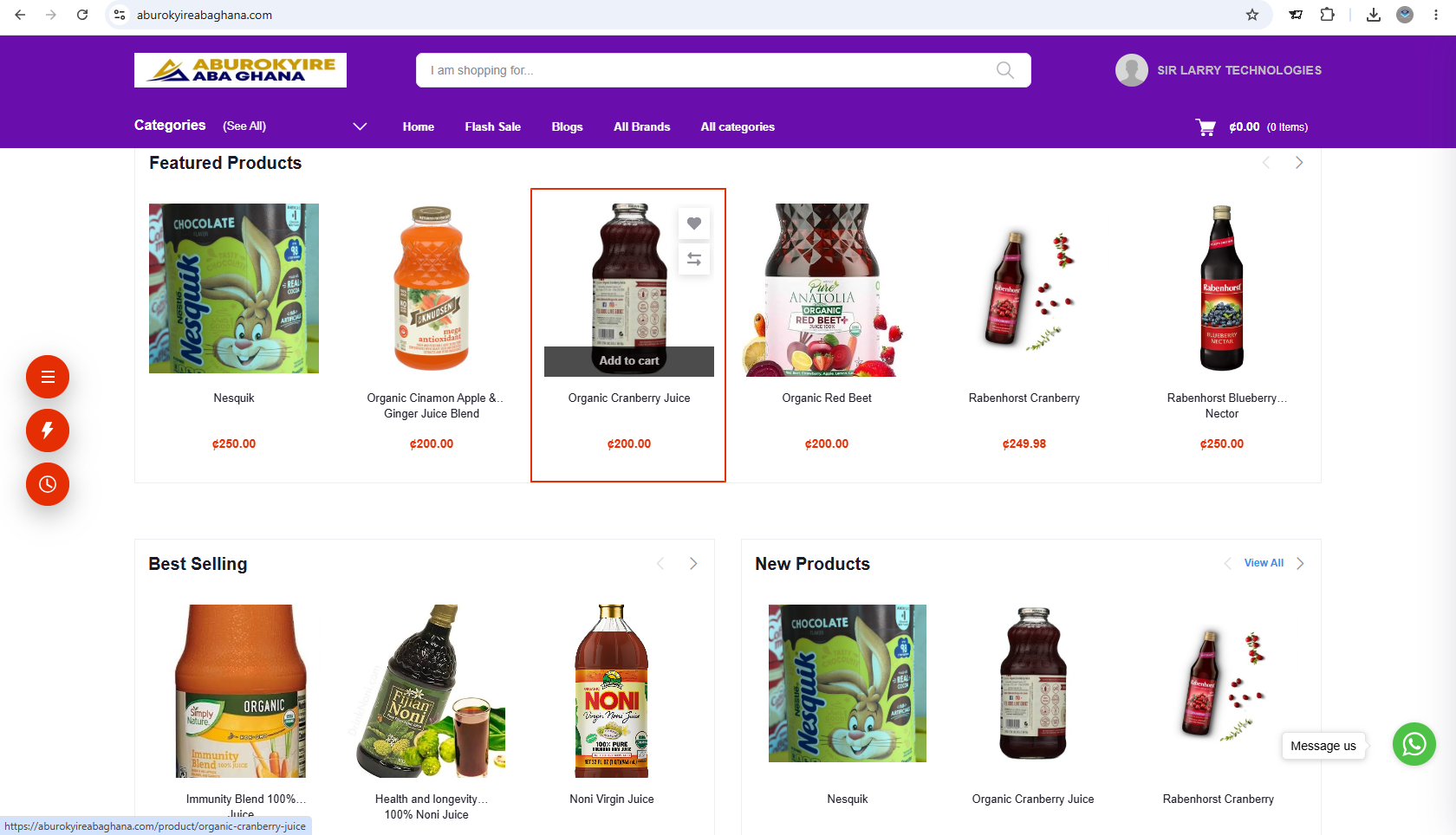
Sir Larry Technologies' POS system is used by more than 10 businesses, including pharmacies, over-the-counter medicine sellers and supermarkets. Other solutions are selected or developed according to each client's requirements.
The transition from manual records to digital management should begin with understanding the organization's existing processes, identifying the most important challenges and selecting a suitable solution. Clear implementation arrangements, accurate data, user training and ongoing support all contribute to a more effective transition.
15. Frequently Asked Questions
What is the difference between manual and digital recordkeeping?
Manual recordkeeping relies mainly on paper documents and handwritten entries. Digital recordkeeping stores information electronically and may provide tools for searching, calculations, reporting and controlled access.
Is a digital management system suitable for a small business?
Yes. Small businesses can start with a focused solution such as a POS, inventory or accounting system, depending on their needs and budget.
Do all manual records need to be transferred into the new system?
No. The organization should identify which historical records are needed, which must be retained and which information should be migrated. Important records should not be discarded without checking retention requirements.
Can digital systems eliminate all errors?
No. They can reduce some manual errors, but inaccurate data, incorrect settings, poor procedures and user mistakes can still affect the results.
Can an organization keep both paper and digital records?
Yes. Some organizations use a hybrid approach during transition or retain paper documents for specific purposes. They should define which record is authoritative and how information will be reconciled.
Will a digital system work without internet access?
It depends on the system. Some locally installed applications can operate offline, while many web-based systems require connectivity. Offline functionality should be confirmed before selecting a solution.
How long does it take to move to a digital management system?
The timeline depends on the system, the amount and quality of existing data, the number of users, the complexity of workflows and the training required.
How can Sir Larry Technologies help?
Sir Larry Technologies can discuss website development, POS and inventory solutions, management software and selected digital integrations according to your organization's requirements.
Ready to Move Beyond Manual Records?
Better recordkeeping begins with the right processes and a suitable digital solution. Identify your organization's needs and take a practical step towards more organized operations.
Contact Sir Larry Technologies to discuss a suitable technology solution for your business or organization.
Visit Sir Larry Technologies