





Understanding Modern Information Systems
A practical guide to how organizations collect, process, store, protect and use information to manage operations, coordinate activities and make informed decisions.
Information is one of the most valuable resources an organization manages. Whether it is a business, school, hospital, church, NGO or government institution, reliable information helps people understand what is happening, coordinate their responsibilities and plan what to do next.
Modern information systems combine people, processes, data and technology to turn information into something useful. They go beyond computers and software: they include the rules, responsibilities and workflows that determine how information is collected, accessed, processed and used.
1. What Is an Information System?
An Information System (IS) is an organized combination of people, procedures, data and technology used to collect, process, store and distribute information.
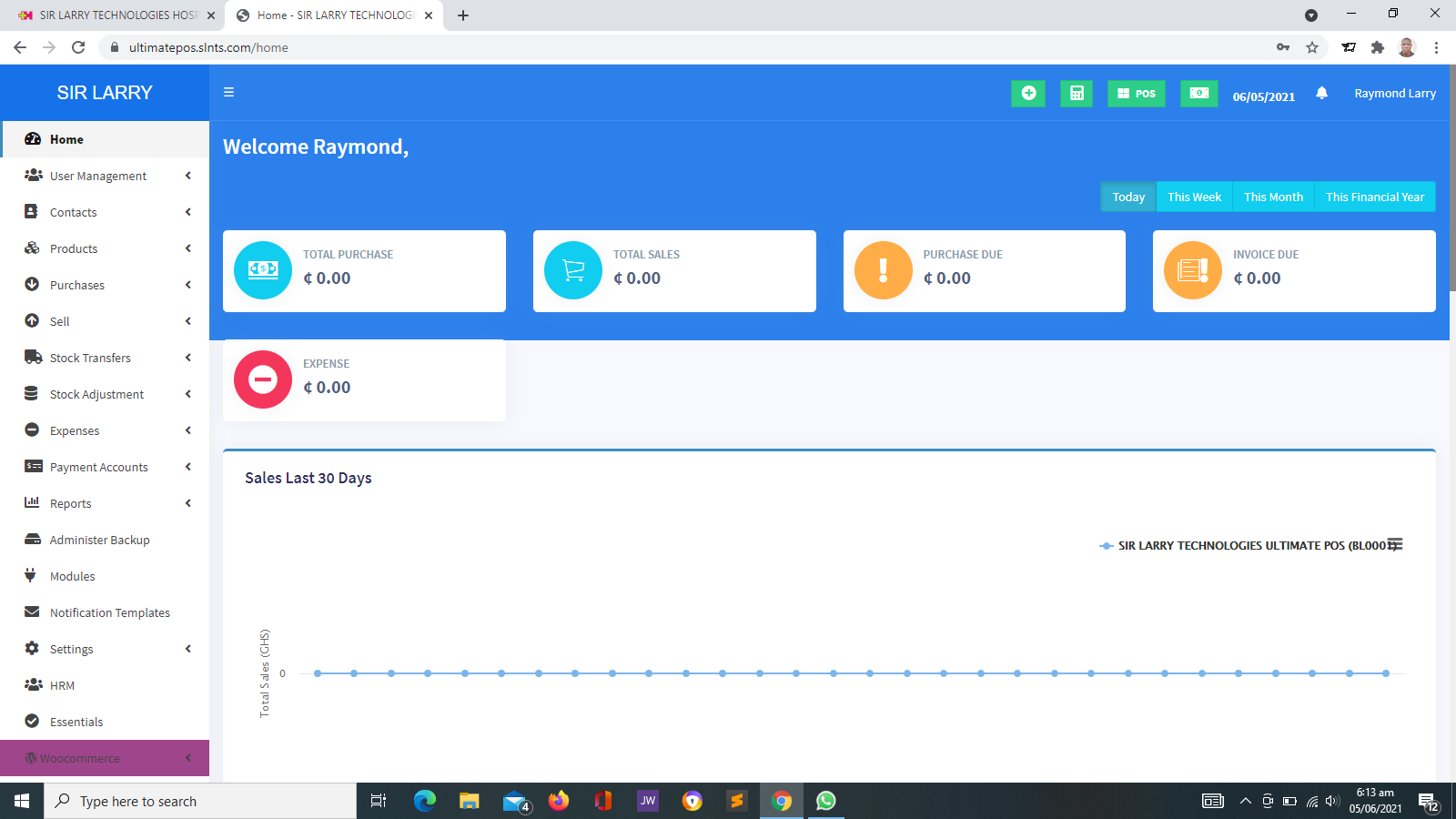
For example, a retail business may use a Point of Sale (POS) system to record sales. The system stores transaction details, updates relevant stock records when configured to do so, and produces reports that help management review business performance.
Similarly, a school may use a school management system to organize student records, attendance, examination results and other administrative information.
Key idea: An information system is not just the software. Its effectiveness also depends on accurate data, well-defined procedures, trained users and appropriate controls.
2. The Main Components of an Information System
Most information systems rely on several interconnected components.
👥 People
Users, administrators, managers, technical staff and other authorized individuals who operate the system, manage information or use its outputs.
💻 Hardware
Physical equipment such as computers, servers, mobile devices, printers, scanners and networking equipment used to access or operate the system.
🧩 Software
Applications and operating systems that process data, support workflows, manage records and present information to users.
🗂️ Data
Raw facts and records, such as names, dates, sales transactions, attendance entries, invoices and stock quantities.
🔄 Procedures
Rules and instructions that explain how information is entered, reviewed, approved, updated, shared, retained and protected.
🌐 Networks and Connectivity
Internet connections, local networks and other communication facilities that allow systems and authorized users to exchange information where required.
3. How an Information System Works
Many information systems follow a process involving input, processing, storage, output and feedback.
Input
Information enters the system through a form, transaction, uploaded file, device or other approved method. For example, a cashier enters the details of a sale.
Processing
The system validates, calculates, organizes or otherwise processes the information according to its configured rules. A POS system may calculate a transaction total and applicable discounts.
Storage
Records are saved so that authorized users can retrieve or review them later. Storage arrangements should include appropriate access controls and backups.
Output
The system presents useful results, such as receipts, reports, dashboards, lists, alerts or statements.
Feedback and Improvement
Users review the results, identify problems and make adjustments where necessary. Feedback may also lead to changes in procedures or system configuration.
4. Types of Modern Information Systems
Different systems support different organizational needs. Some focus on recording daily transactions, while others support planning, analysis or coordination across departments.
🧾 Transaction Processing Systems
These systems record routine transactions such as sales, payments, bookings, orders and deposits.
Example: A POS system used by a retail shop or pharmacy.
📊 Management Information Systems
These systems organize operational data and provide summaries and reports to support management monitoring and planning.
Example: A system that produces monthly sales, attendance or expenditure reports.
🧠 Decision Support Systems
These systems help people evaluate alternatives, examine data and consider possible outcomes when making decisions.
Example: A forecasting or analysis tool used to compare business scenarios.
🏢 Enterprise Resource Planning Systems
ERP systems integrate multiple organizational functions, such as finance, procurement, inventory and human resources, within a coordinated platform.
Example: An organization-wide system connecting purchasing, stock management and financial records.
🤝 Customer Relationship Management Systems
CRM systems organize customer information, interactions, sales opportunities, service requests and follow-up activities.
Example: A business system used to track enquiries and customer relationships.
🎓 Learning and Education Systems
Learning Management Systems (LMS) support course delivery, learning resources, assessments and learner progress, while School Management Systems handle broader school administration.
Example: A platform used to distribute learning materials and record assessment results.
🏥 Healthcare Information Systems
These systems may support patient registration, appointments, laboratory workflows, clinical documentation, billing and reporting, depending on the solution.
They require careful handling of confidential health information.
📁 Document and Records Management Systems
These systems help organizations organize, retrieve, control and retain electronic documents and records according to their procedures.
Example: A repository for approved policies, contracts and administrative documents.
5. What Makes Modern Information Systems Different?
Modern information systems often provide capabilities that were difficult or expensive to achieve using paper-based records or isolated applications.
- Centralized or coordinated records: related information can be organized in a structured system rather than scattered across multiple files.
- Faster information retrieval: users can search and retrieve records without manually checking every document.
- Real-time or near-real-time updates: some systems reflect new transactions quickly, depending on connectivity and system design.
- Automated workflows: selected calculations, reminders, approvals and reports can be automated.
- Remote access: cloud-hosted systems may allow authorized users to work from different locations.
- Integration: compatible applications can exchange information or coordinate activities.
- Role-based access: users can be assigned permissions based on their responsibilities.
- Reporting and analysis: records can be summarized to help users understand patterns and performance.
Not every information system provides all these capabilities. The available functions depend on the application, configuration, infrastructure and service arrangements.
6. Information Systems vs. Information Technology
The terms Information Systems (IS) and Information Technology (IT) are closely related, but they do not mean exactly the same thing.
Information Technology (IT)
IT generally refers to the technology used to create, process, store, secure and communicate information. Examples include computers, servers, networks, databases and software infrastructure.
Information Systems (IS)
IS includes the people, processes, data and technologies organized to support information-related activities and organizational objectives.
For example, a server and network are part of an organization's IT infrastructure. A school management system that uses that infrastructure, together with staff procedures and student records, forms part of the school's information system.
7. Benefits of Modern Information Systems
⏱️ Improved Efficiency
Structured digital workflows can reduce repetitive administrative work and make information easier to retrieve.
🎯 Better Accuracy
Validation rules and standardized procedures can reduce certain data-entry and calculation errors, although human review remains important.
📈 Informed Decisions
Reports and summaries help managers understand activities and assess performance using recorded information.
🤝 Improved Coordination
Authorized teams can work from shared or connected records, reducing unnecessary duplication.
🔎 Greater Traceability
Systems with suitable logs and controls can help organizations review changes, transactions and user activities.
🌱 Support for Growth
Well-designed systems can help organizations manage increasing volumes of records and activity as their needs evolve.
8. Practical Examples Across Different Organizations
🏪 Retail Business
A shop records sales through a POS system. Stock records may update automatically, and management can review sales reports to identify popular products and monitor inventory.
🏫 School
A school management system can organize student information, attendance, examination results and staff records. Authorized users can retrieve information according to their assigned permissions.
🤝 NGO
An NGO may use digital systems to manage project activities, beneficiary records, membership, donations and reporting. The chosen solution should reflect the organization's actual programme and accountability requirements.
🏥 Laboratory
A laboratory information system may help organize patient registration, test requests, specimen tracking and results reporting. Appropriate validation, confidentiality and authorized review are essential.
⛪ Church or Membership Organization
A suitable management system can help maintain membership records, coordinate activities, record contributions and generate administrative reports, depending on the available functions.
9. Data, Information and Knowledge: What Is the Difference?
Understanding the difference between data, information and knowledge helps explain why information systems are valuable.
Raw Data
Individual facts that may have little meaning without context.
Example: 15, 20, 25 and 30.
Information
Data organized or interpreted to provide meaning.
Example: Daily sales figures showing how much a business sold each day.
Knowledge
Understanding developed by interpreting information and combining it with experience or relevant expertise.
Example: A manager recognizes a recurring sales pattern and uses it to review purchasing plans.
Decision and Action
Using knowledge to choose an appropriate response.
Example: Adjusting stock levels after considering sales trends, supplier lead times and available funds.
A system can produce reports, but people still need to interpret the results in context. Poor-quality data or incorrect assumptions can lead to poor decisions even when the software works as intended.
10. Security and Responsible Information Management
Information systems often contain business, financial, employee, customer, student or patient records. Protecting that information is an essential responsibility.
- Access control: provide users only with the permissions necessary for their duties.
- Authentication: use strong, unique passwords and multifactor authentication where available.
- Backups: maintain appropriate backups and test whether information can be restored.
- Updates: keep supported applications and systems updated to address known security issues.
- Confidentiality: limit the sharing of personal and sensitive information to authorized purposes.
- Audit and monitoring: review relevant system activities where logging and monitoring capabilities are available.
- Staff awareness: train users to recognize phishing, protect credentials and report suspicious activity.
- Retention and disposal: manage records according to legitimate operational needs and applicable requirements.
Important: Moving records into a digital system does not automatically make them secure. Organizations should assess their security needs, establish suitable controls and follow applicable data protection obligations.
11. Challenges in Implementing Information Systems
Although modern information systems can improve operations, organizations may encounter challenges during selection, deployment and everyday use.
- Initial and recurring costs: software, hosting, devices, support and integrations may require ongoing investment.
- Staff training: users may need time to understand new procedures and system features.
- Data migration: transferring paper records or existing spreadsheets requires planning and verification.
- Connectivity and infrastructure: unreliable internet, electricity or unsuitable devices can affect access.
- Resistance to change: employees may prefer familiar methods unless the benefits and procedures are explained clearly.
- Integration limitations: older applications or third-party platforms may not support the required connections.
- Maintenance: systems need monitoring, updates, support and periodic reviews.
12. How to Choose the Right Information System
A suitable information system should solve an identified problem and support the organization's objectives. Consider the following steps before making a decision.
Identify Your Needs
Document the activities you want to improve, the records you need to manage and the problems you want to solve.
Define the Required Features
Separate essential requirements from optional features. Consider the reports, workflows, permissions and integrations the organization genuinely needs.
Assess Total Cost
Consider setup, subscriptions or licences, equipment, hosting, training, data migration, integrations and ongoing support.
Review Security and Data Ownership
Ask how records are protected, who can access them, how backups work and how information can be retrieved if the organization changes providers.
Test the Solution
Where possible, review a demonstration or trial using representative workflows before committing to full implementation.
Plan Implementation and Support
Agree on responsibilities, data preparation, training, deployment, support arrangements and the process for resolving problems.
13. The Future of Information Systems
Information systems are likely to become more connected, accessible and capable of supporting complex tasks. Several developments are shaping their evolution.
- Artificial Intelligence: may support information retrieval, pattern identification, document processing and selected analytical tasks.
- Cloud services: continue to offer organizations alternatives to managing all infrastructure themselves.
- Mobile access: helps authorized users access selected services and records from supported devices.
- Connected applications: can reduce information silos when systems are compatible and integrations are appropriately implemented.
- Automation: can streamline repeatable processes and notifications.
- Stronger security practices: are increasingly important as more organizational activity depends on digital services.
- More accessible analytics: can help non-technical users understand reports and patterns in organizational data.
These developments will not affect every organization in the same way. Successful adoption will depend on practical needs, available resources, responsible data management and the ability to adapt.
14. How Sir Larry Technologies Can Help
Sir Larry Technologies provides technology services for businesses and organizations seeking to establish or improve their digital operations. Depending on the requirements, these services may include:
🌐 Website Development
Developing websites to present organizational information, services and appropriate online features.
🛒 POS and Inventory Solutions
Supporting sales recording, stock management and business reporting through suitable POS and inventory systems.
🏢 Management Information Systems
Developing and deploying suitable software solutions for organizational records, workflows and administrative operations.
💳 Digital Integrations
Assessing and implementing supported payment, SMS and email integrations for websites and business applications. Third-party fees and service requirements may apply.
The recommended solution depends on the organization's operations, priorities, budget and technical requirements. A proper discussion before implementation helps establish a clear scope and realistic expectations.
15. Frequently Asked Questions
Is an information system the same as a computer system?
No. A computer system consists of computing hardware and software, while an information system also includes people, data, procedures and the organizational activities that use the technology.
Can a small business benefit from an information system?
Yes. Even a small business may benefit from a suitable system for sales, inventory, accounts, customer records or other important processes. The solution should match the business's needs and budget.
Does every organization need an ERP system?
No. ERP systems are designed to integrate multiple organizational functions. A smaller organization may only need one or two focused applications, while a larger organization may require broader integration.
Are cloud-based information systems always better?
Not always. Cloud-based systems can support remote access and reduce the need to manage some infrastructure internally, but suitability depends on connectivity, cost, security requirements, availability and the organization's operating environment.
How can an organization know whether its system is effective?
Measure whether the system meets its objectives. Relevant indicators may include processing time, record accuracy, reporting speed, user adoption, error rates and the quality of service provided.
Can different information systems work together?
Yes, when the applications support compatible integrations or data exchange methods. Compatibility, security, licensing and implementation costs should be assessed before integration.
Find the Right Information System for Your Organization
Modern information systems can help organizations manage records, coordinate activities and make better use of information. Sir Larry Technologies can discuss your requirements and help you assess suitable website, software and business technology solutions.
Visit Sir Larry Technologies