








Learning Management System (LMS): Features, Benefits and Implementation
Discover how a Learning Management System helps schools, training institutions, organizations and educators deliver learning, manage courses, assess learners and monitor educational progress.
A Learning Management System (LMS) is a digital platform used to organize, deliver, manage and track educational courses and training activities. It provides a central place where administrators, instructors and learners can access learning materials, complete activities, submit assignments and review progress. Depending on its design, an LMS can support classroom-based, online or blended learning.
1. What Is a Learning Management System?
A Learning Management System is software that helps educational institutions and organizations manage the learning process through a digital platform. Instead of relying entirely on printed materials, paper-based records or separate communication channels, users can access many learning activities in one place.
For example, a school can use an LMS to share lesson notes, upload recorded lessons, assign exercises, collect students' work and monitor assessment results. A professional training organization can use one to organize courses, enroll participants, deliver training resources and issue certificates when the relevant requirements are met.
The exact features depend on the platform. Some LMS solutions focus on academic education, while others are designed for employee training, professional development, online courses or institutional learning.
2. Why Is an LMS Important?
Managing learning can become complicated when course materials, assignments, attendance records, assessments and learner communication are handled through separate systems. An LMS brings these activities together, making learning easier to organize and monitor.
- Provides a central location for learning resources and course activities.
- Allows learners to access materials when and where the platform permits.
- Helps instructors organize lessons, assignments and assessments.
- Supports monitoring of learner participation and performance.
- Reduces some repetitive administrative tasks.
- Can support distance learning and blended learning arrangements.
- Helps institutions maintain more consistent learning records.
3. Key Features of a Learning Management System
An LMS can include different tools depending on the needs of the institution. Common features include the following:
Course Management
Allows administrators and instructors to create courses, organize topics, assign instructors and manage course availability. Courses may be arranged by subject, class, programme or training category.
Learner Registration and Enrollment
Supports learner accounts, course enrollment and user grouping. Depending on the platform, learners may be assigned to classes, departments, cohorts or training programmes.
Learning Materials
Provides a place to share notes, presentations, documents, videos, links, reading materials and other learning resources. Supported file types and storage limits vary by platform.
Assignments and Submissions
Enables instructors to give assignments, set deadlines and collect learners' submissions. Some platforms support file uploads, text responses, feedback and grading.
Quizzes and Assessments
Supports quizzes, tests and other assessment activities. Depending on the system, assessments may include automatic marking, question banks, time limits and instructor-reviewed responses.
Progress Tracking and Reports
Helps instructors and administrators review course completion, assessment results, participation and learner progress. The available reports depend on the platform and its configuration.
Communication and Collaboration
May include announcements, discussion forums, messaging, feedback and group activities to help instructors and learners communicate about courses and learning tasks.
Online and Blended Learning
Can support online lessons, recorded sessions and links to virtual classrooms. Blended learning combines digital resources with face-to-face teaching or practical activities.
Certificates and Course Completion
Some platforms can generate certificates after learners meet defined completion requirements, such as passing assessments or finishing the required course activities.
Schedules and Deadlines
Supports the organization of course dates, assignment deadlines, learning activities and important announcements. Calendar and reminder features vary by system.
Mobile-Friendly Access
A responsive LMS allows users to access supported features on smartphones, tablets and computers. Some platforms also offer dedicated mobile applications or offline learning options.
User Roles and Access Control
Allows different permissions for administrators, instructors, learners and other authorized users. Access controls help protect course materials, learner records and assessment information.
4. How Does a Learning Management System Work?
Although individual platforms differ, the typical LMS workflow follows several steps.
Set Up the Platform
The institution or organization configures the system, creates user roles, sets up courses and establishes the appropriate learning structure.
Register and Enroll Learners
Learners receive accounts or registration access and are enrolled in the relevant courses, subjects or training programmes.
Publish Learning Materials
Instructors upload or organize learning resources, provide instructions and make course activities available according to the schedule.
Learners Participate
Learners study the materials, participate in supported learning activities, complete assignments and take assessments.
Assess and Provide Feedback
Instructors review submissions, mark assessments where required and provide feedback to help learners understand their progress.
Review Reports and Progress
Authorized users review available reports to identify completed activities, assessment outcomes and areas that may require additional support.
5. Benefits of a Learning Management System
For Schools and Educational Institutions
- Organizes digital learning resources across subjects and classes.
- Supports communication between instructors and learners.
- Makes it easier to distribute assignments and collect submissions.
- Provides a structured way to review assessment results and course participation.
- Can support learning continuity when in-person access is limited.
For Teachers and Instructors
- Helps organize lessons and course materials.
- Reduces the need to distribute every learning resource individually.
- Supports assignment management and feedback.
- Helps track learner progress using available system reports.
- Provides a consistent place for course announcements and instructions.
For Learners
- Provides convenient access to learning resources.
- Helps learners keep track of assignments, deadlines and course activities.
- Allows learners to review feedback and assessment results where available.
- Can provide more flexibility in how and when learning activities are completed.
- Encourages independent learning and better organization.
For Corporate and Professional Training
- Organizes staff training and professional development courses.
- Helps track participation and course completion.
- Provides a central place for policies, procedures and training materials.
- Can support induction programmes for newly recruited staff.
- Helps administrators review training records and identify learning needs.
6. Who Can Use an LMS?
A Learning Management System is useful for different types of educational and training organizations.
Basic and Secondary Schools
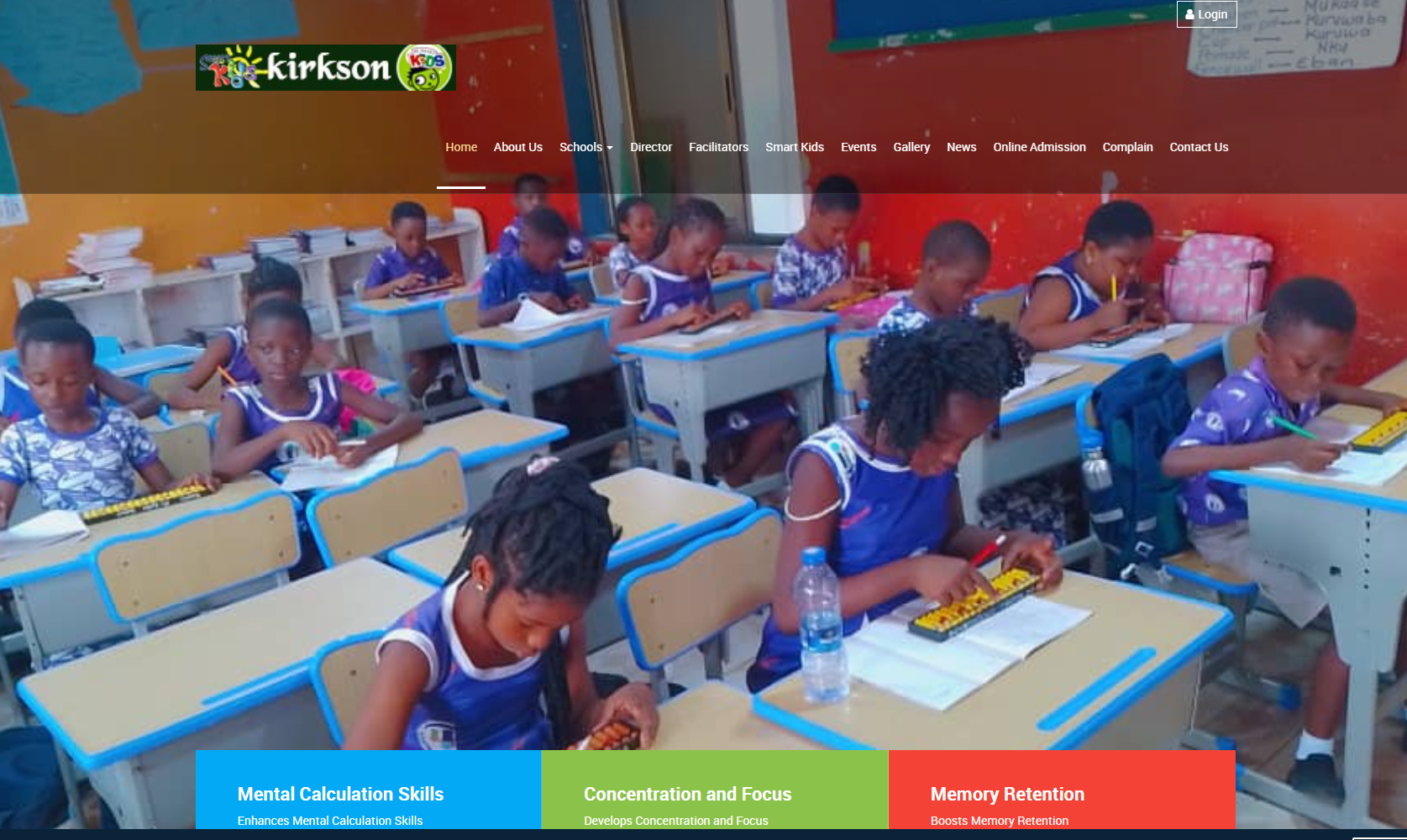
Schools can use an LMS to distribute notes, support assignments, provide revision resources and organize digital learning activities for students.
Colleges and Universities
Higher education institutions can organize course content, assessments, learning activities and communication for different academic programmes.
Training Institutions
Professional and vocational training providers can manage course enrollment, training materials, assessments and completion records.
Businesses and Organizations
Organizations can use an LMS for staff induction, workplace training, professional development and internal learning programmes.
Online Course Providers
Educators and training businesses can use an LMS to deliver courses to learners who may be located in different places.
NGOs and Development Organizations
Nonprofit organizations can use an LMS to deliver training to staff, volunteers, community groups and programme participants, where appropriate.
7. LMS vs. School Management System
A Learning Management System and a School Management System serve related but different purposes. An LMS primarily focuses on teaching, learning, course delivery and assessment. A School Management System generally focuses on the broader administration of a school.
| Area | Learning Management System | School Management System |
|---|---|---|
| Main purpose | Manage teaching and learning activities. | Manage school administration and operations. |
| Course materials | Usually a core feature. | May be available, depending on the system. |
| Assignments and online assessments | Often a central function. | May include examination and academic assessment tools. |
| Fees and student administration | Not usually the main focus. | Common administrative functions. |
| Relationship | Can operate independently or integrate with other systems. | May include LMS features or integrate with a separate LMS. |
Some platforms combine both functions, allowing institutions to manage administrative processes and digital learning within an integrated environment.
8. LMS vs. Virtual Classroom
A virtual classroom is a digital environment for conducting live lessons or meetings, often through video conferencing. An LMS is a broader learning platform that can organize course materials, assignments, assessments, progress records and other learning activities.
The two can complement each other. For example, an instructor may conduct a live lesson through a video conferencing service, then use an LMS to share the lesson materials, collect assignments and review learners' progress. Some LMS platforms integrate live teaching tools, while others connect to external services.
9. Important Considerations When Choosing an LMS
Before selecting or implementing an LMS, an institution should identify its learning objectives, user needs and available resources.
- Ease of use: The platform should be understandable for administrators, instructors and learners with different levels of digital experience.
- Learning requirements: Confirm that it supports the required course formats, assessments, assignments and learning activities.
- Mobile accessibility: Check how well the platform works on smartphones, tablets and computers.
- Internet and connectivity: Consider the reliability and cost of internet access for users. If offline learning is necessary, verify whether the chosen platform supports it.
- Security and privacy: Review user permissions, authentication, data protection practices, backups and access to learner records.
- Reporting: Ensure that the available reports provide the information instructors and administrators need.
- Scalability: Consider whether the platform can accommodate future growth in learners, courses and learning materials.
- Support and maintenance: Establish who will handle updates, troubleshooting, backups and user assistance.
- Total cost: Consider licensing, hosting, storage, setup, training, maintenance and any third-party services.
- Integration: Determine whether the LMS needs to exchange information with existing school, HR, payment or communication systems.
10. How to Implement an LMS Successfully
Successful implementation involves more than installing software. The institution must prepare its users, learning materials and operational processes.
- Define the objectives: Identify the learning problems the system should address and the outcomes the institution wants to achieve.
- Identify users and roles: Determine who will administer the platform, teach courses, manage enrollments and participate as learners.
- Select a suitable platform: Compare available solutions against the institution's teaching requirements, budget, technical capacity and security needs.
- Prepare course materials: Organize lesson notes, videos, assignments, assessments and other resources into clear course structures.
- Configure the system: Set up courses, accounts, permissions, schedules and relevant institutional settings.
- Train users: Help instructors and administrators learn how to manage courses, publish materials, assess work and support learners.
- Conduct a pilot: Test the system with a small group before wider deployment. Gather feedback and correct problems.
- Launch and monitor: Introduce the system to the wider user community and provide support during adoption.
- Review and improve: Monitor usage, gather feedback and make adjustments based on learning outcomes and user needs.
11. Security, Privacy and Responsible Use
An LMS may store personal information, assignment submissions, grades, assessment records and other educational data. Institutions should therefore manage the platform responsibly.
- Give users access only to the information and functions required for their roles.
- Use strong authentication practices and protect administrator accounts.
- Maintain appropriate backups and test recovery procedures.
- Keep the platform and its components updated where applicable.
- Establish clear rules for collecting, storing, accessing and retaining learner information.
- Follow applicable data protection requirements and institutional policies.
- Explain acceptable use, online conduct and academic integrity expectations to learners.
- Provide a way for users to report technical problems, suspicious activity or inappropriate content.
Security also depends on how the platform is hosted, configured and maintained. Institutions should evaluate these arrangements rather than relying on software features alone.
12. Common Challenges and How to Address Them
Limited Internet Connectivity
Unreliable or expensive internet access can make online learning difficult. Institutions can consider mobile-friendly course pages, compressed learning materials, downloadable resources or platforms with verified offline capabilities.
Limited Digital Skills
Some users may need help navigating the platform. Orientation sessions, simple instructions, demonstrations and ongoing support can improve confidence and participation.
Low User Participation
Users may be reluctant to adopt a new system if it does not fit their learning routines. Involve instructors and learners during planning, explain the benefits and make sure the platform addresses real needs.
Insufficient or Poorly Organized Content
A platform cannot deliver effective learning if course materials are missing, outdated or difficult to follow. Assign responsibility for content preparation, review and updates.
Maintenance and Technical Support
Institutions should plan for hosting, updates, backups, troubleshooting and user support. Clear responsibilities help prevent the system from becoming unreliable after launch.
13. Measuring the Success of an LMS
Institutions should evaluate an LMS using measures that match their objectives. Useful indicators may include:
- Number of active users and course enrollments.
- Course participation and completion rates.
- Assignment submission rates and assessment results.
- Frequency of access to learning materials.
- Instructor and learner satisfaction.
- Technical issues and average time to resolve them.
- Completion of required staff training.
- Progress toward the institution's defined learning goals.
These indicators should be interpreted in context. High platform activity alone does not necessarily mean that learning outcomes have improved. Institutions should combine system reports with feedback, assessment evidence and other appropriate measures.
14. The Role of an LMS in Digital Education
Digital education is not simply about putting documents online. It involves organizing learning experiences, providing suitable resources, supporting communication and evaluating progress.
A well-selected LMS can help institutions create a more structured digital learning environment. However, technology works best when supported by good teaching practices, appropriate content, accessible design, reliable technical support and active participation from instructors and learners.
For schools and training organizations introducing digital learning, an LMS can provide a foundation for organizing online resources and learning activities while allowing the institution to expand its use of educational technology over time.
Conclusion
A Learning Management System is a valuable tool for organizing and delivering digital learning. It can help schools, training institutions, businesses and other organizations manage courses, distribute learning materials, assess learners and monitor progress from a central platform.
The right LMS depends on the institution's objectives, available resources, users and teaching requirements. Careful planning, user training, appropriate security measures and ongoing evaluation are essential to making the system useful and sustainable.
Looking for Technology Solutions for Your Organization?
Sir Larry Technologies provides IT and software services for organizations seeking practical digital solutions. Contact us to discuss your requirements and determine the most suitable approach for your institution or business.
Visit Sir Larry Technologies