







The Evolution of Business Management Systems
From manual recordkeeping to connected digital platforms: understanding how business technology has transformed the way organizations operate, manage information and make decisions.
Business management systems have changed significantly over time. Businesses once depended mainly on paper files, handwritten ledgers and face-to-face communication. Today, many organizations use software to record transactions, manage inventory, coordinate employees, serve customers and monitor performance.
This evolution is not simply about replacing paper with computers. It is about connecting business activities, improving access to information and helping decision-makers respond more effectively to changing needs.
1. What Is a Business Management System?
A Business Management System is a structured method, process or software solution used to coordinate and manage business activities. In modern business technology, the term often refers to software that helps an organization record information, automate tasks, monitor operations and produce reports.
Depending on the organization's needs, a business management system may handle one specific function or bring several functions together in a connected platform.
📦 Operational Management
Supports activities such as sales, stock control, purchasing, service delivery and day-to-day business operations.
💰 Financial Management
Helps record income, expenses, invoices, payments, outstanding balances and financial information.
👥 People and Customer Management
Organizes employee records, client information, customer interactions, assignments and follow-up activities.
📊 Information and Reporting
Turns recorded business information into summaries and reports that support planning and decision-making.
2. The Early Stage: Paper-Based Business Administration
Before digital systems became widely available, many organizations managed their operations using paper documents and manual procedures. Sales were entered in books, stock levels were calculated by hand, customer details were kept in folders, and financial records were maintained in ledgers.
- Manual sales records: Employees wrote down transactions and calculated totals using arithmetic or calculators.
- Paper inventory books: Businesses recorded goods received, items sold and remaining stock in stock cards or ledgers.
- Physical customer files: Contact details, orders and correspondence were stored in folders or filing cabinets.
- Manual financial reports: Staff compiled income, expenses and balances from individual records.
- Paper-based communication: Instructions and approvals were often delivered through meetings, letters or other direct communication.
What worked well? Paper-based methods could be practical for small operations with limited transactions, few employees and straightforward processes. They did not require specialized software, although they still required time, organization and careful recordkeeping.
Challenges of the Paper-Based Approach
- Repeated data entry and time-consuming calculations.
- Difficulty finding older records quickly.
- Risk of misplaced, damaged or incomplete documents.
- Limited visibility into current stock, sales and financial performance.
- Difficulty sharing accurate information across departments or branches.
- Dependence on individual employees to maintain and interpret records.
3. The Introduction of Computers and Spreadsheets
As computers became more accessible, organizations began using digital documents, spreadsheets and desktop applications to support their administrative work. Tasks that previously required manual calculations could be completed more quickly, and information could be stored electronically.
🧮 Electronic Calculations
Spreadsheets made it easier to calculate totals, prepare budgets, summarize transactions and analyze selected business data.
🗂️ Digital Recordkeeping
Documents and files could be stored electronically, reducing dependence on physical filing cabinets for some records.
📄 Faster Reporting
Staff could prepare reports and business documents without rewriting every calculation and summary manually.
💻 Desktop Applications
Specialized programs began supporting particular tasks such as accounting, payroll, inventory and customer records.
However, computerization did not automatically connect all business functions. A company might use one spreadsheet for stock, another for sales and a separate application for accounts. Employees could still need to transfer information manually between systems.
4. The Rise of Specialized Business Software
The next stage involved software designed to manage specific business functions more systematically. Rather than using spreadsheets for everything, organizations could adopt applications built around the processes they needed to control.
| System Type | Primary Purpose | Example of Use |
|---|---|---|
| Point of Sale (POS) | Records sales and supports transaction processing. | A shop records product sales and updates stock when the system supports inventory integration. |
| Accounting System | Organizes financial records and reporting. | A business records invoices, payments, expenses and account balances. |
| Inventory System | Tracks products, stock movements and stock levels. | A retailer monitors items received, sold, transferred or adjusted. |
| Human Resource Management System | Supports employee administration and HR processes. | An organization maintains staff records, leave information and attendance data. |
| Customer Relationship Management (CRM) | Organizes customer information and relationship activities. | A service company records enquiries, follow-ups and customer interactions. |
| School Management System | Supports school administration and academic records. | A school manages student information, attendance and examination records. |
| Church or NGO Management System | Supports administrative processes relevant to a church or nonprofit. | An organization manages membership, activities, projects or reports according to its system's capabilities. |
Specialized software can improve consistency and reduce repetitive work. Its value depends on whether the system matches the organization's actual requirements, whether staff use it correctly and whether the information entered is accurate.
5. The Move Towards Integrated Management Systems
As businesses grew, using separate applications for every function sometimes created new problems. Different departments could maintain conflicting records, duplicate information or spend time moving data between systems.
Integrated management systems address this challenge by connecting selected functions and allowing information to move between them. Enterprise Resource Planning (ERP) systems are one important example of this approach.
🔗 Connected Information
Where integration is properly configured, authorized users can access related information across connected business functions.
🔄 Reduced Repetition
Data may be reused across connected processes instead of being entered separately in multiple places.
📈 Broader Reporting
Reports can combine information from different functions to provide a more complete operational picture.
🧭 Coordinated Workflows
Processes such as order handling, purchasing and billing can be linked where the selected system supports them.
Not every business needs a large ERP platform. A smaller organization may be better served by a focused POS, accounting, school, CRM or other management system, provided it meets the organization's needs and can grow appropriately.
6. The Internet and Web-Based Management Systems
Internet access and web technologies changed how business software could be delivered. Instead of installing every application on a single office computer, organizations could use web-based systems through a browser, subject to the system's hosting, network and access requirements.
- Browser access: Authorized users can access supported functions through a web browser.
- Multi-location operations: Staff at different locations may work with the same system when connectivity and permissions allow.
- Centralized records: Information can be maintained in a shared database rather than separate local files.
- Online services: Websites and management systems can support enquiries, applications, bookings or other online interactions.
- System integration: Applications may connect to payment gateways, email services, SMS providers or other platforms when compatible integrations are available.
Important: Web-based does not automatically mean secure, available everywhere or accessible without internet connectivity. Access depends on hosting, connectivity, system design, user permissions and security controls.
7. Cloud Computing and Software as a Service
Cloud computing allows computing resources and services to be delivered over a network. In business management, cloud-hosted systems can reduce the need for an organization to maintain every part of its own server infrastructure.
Software as a Service (SaaS) is a delivery model in which customers access software provided as a service, commonly through a subscription. Cloud hosting and SaaS are related concepts, but they are not identical: a cloud-hosted application may still be licensed or operated under a different arrangement.
☁️ Potential Advantages
- Access from supported locations and devices.
- Less need to maintain local server hardware.
- Centralized software administration.
- Capacity to scale with changing requirements.
🔐 Important Considerations
- Recurring subscription and hosting costs.
- Dependence on network availability.
- Data access, privacy and security controls.
- Backup, recovery and provider arrangements.
Businesses should evaluate the total cost of ownership, the sensitivity of their data, service reliability, support arrangements and the ability to export or recover their information before choosing a deployment model.
8. Mobile Technology and Real-Time Business Operations
Smartphones and tablets have extended business management beyond the traditional office computer. Depending on the software, employees and managers may be able to check records, approve requests, communicate with clients or review performance while away from the office.
- Sales personnel may access customer records and update follow-up notes.
- Managers may review selected sales or operational reports.
- Field teams may submit forms or record activities using supported mobile tools.
- Customers may use mobile devices to submit enquiries, make payments or access online services where these features are available.
- Authorized staff may receive system notifications and respond to pending tasks.
Mobile access should be designed around usability, device security, permission levels and the needs of the people using the system. Not every desktop system includes a dedicated mobile application, and browser access may differ from a native app.
9. Payments, Communication and Digital Service Integration
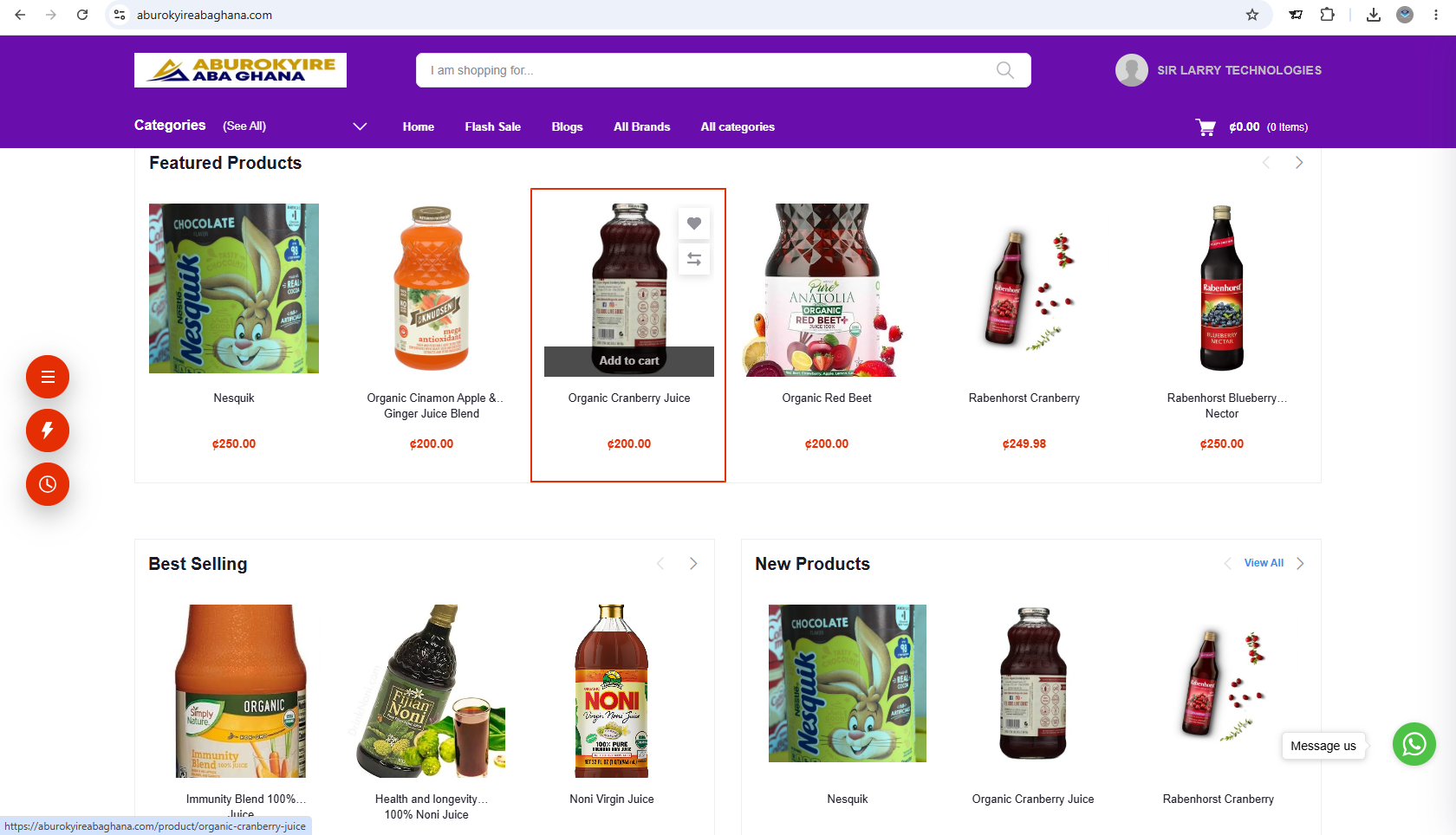
Modern business systems can connect administrative processes with external services. For example, a website or management application may integrate with a payment gateway, mobile money service, email provider or SMS gateway when the relevant technical integration is supported and configured.
💳 Digital Payments
Payment integrations may allow customers to pay online using supported methods, with transaction records handled according to the system's design.
📩 Email Notifications
Configured email services can send receipts, confirmations, reminders or other messages triggered by supported workflows.
📱 SMS Messaging
SMS gateways can support alerts and reminders, usually subject to provider setup, delivery limitations and message-credit charges.
🌐 Online Customer Services
Websites and portals can connect customers to selected services, forms, bookings or account information.
Integration can reduce manual work, but it requires careful configuration, testing and ongoing attention to provider credentials, service availability, transaction status and third-party costs.
10. Artificial Intelligence and Automation
Artificial Intelligence (AI) and automation are adding new possibilities to business technology. Traditional management systems mainly record, organize and process information according to predefined rules. AI-enabled tools may also help interpret information, recognize patterns, generate content or support certain decisions.
- Customer support: AI assistants may answer routine questions or help route enquiries.
- Document processing: AI tools may help extract information from supported documents.
- Business analysis: Analytical tools may identify patterns in sales, demand or operational data.
- Workflow automation: Rules-based automation can trigger reminders, approvals or notifications when specified conditions are met.
- Forecasting: Suitable analytical models may help estimate future demand or identify potential risks.
AI requires oversight. Generated information may be incorrect or incomplete. Businesses should protect sensitive data, verify important outputs and retain appropriate human review for financial, legal, employment and other consequential decisions. These are potential applications, not features automatically included in every management system.
11. Comparing the Main Stages of Evolution
| Stage | Main Approach | Key Benefit | Common Limitation |
|---|---|---|---|
| Manual administration | Paper files and handwritten records | Simple to begin with and easy to understand | Time-consuming retrieval and calculations |
| Computerized records | Spreadsheets and desktop applications | Faster calculations and electronic storage | Separate files and repeated data entry |
| Specialized software | Dedicated applications for particular functions | More structured task management | Separate systems may not share information |
| Integrated platforms | Connected applications or ERP systems | Coordinated processes and broader reporting | Greater implementation and management complexity |
| Web and cloud systems | Browser-based or cloud-delivered applications | Potential access across locations and devices | Connectivity, hosting and security dependencies |
| AI-enabled and automated systems | Automation, analytics and selected AI capabilities | Potential efficiency and decision-support improvements | Data quality, reliability, privacy and oversight concerns |
12. Why Business Management Systems Matter Today
As organizations handle more transactions, customers, employees and operational information, effective systems can help them maintain control and respond to changing demands.
⏱️ Improved Efficiency
Structured workflows can reduce repetitive tasks and help staff spend less time searching for information.
📋 Better Recordkeeping
Consistent digital records can make it easier to retrieve information and review past activities.
📊 Informed Decisions
Reports can help managers assess performance, identify problems and plan improvements.
🤝 Better Coordination
Shared information and defined workflows can help teams coordinate responsibilities.
🔎 Greater Visibility
Depending on the system, managers can monitor transactions, tasks, stock levels or service activity more consistently.
📈 Support for Growth
Appropriately selected systems can help an organization handle increasing operational complexity.
13. How Businesses in Ghana Can Benefit
Businesses and institutions in Ghana can use management systems to address practical administrative needs. The most suitable solution depends on the organization's size, industry, budget, internet access, existing processes and reporting requirements.
- Retail shops and pharmacies: POS and inventory systems can support sales recording and stock monitoring.
- Schools and training institutions: School management systems and learning platforms can organize student records, academic activities and learning information.
- Churches: Church management systems can support membership administration, attendance, activities and financial records according to their configured features.
- NGOs and foundations: Suitable systems can help organize projects, beneficiaries, memberships, activities and reports.
- Hotels and hospitality businesses: Management software can help coordinate reservations, guest records and other supported operational activities.
- Service providers: CRM and business management systems can organize customer information, enquiries, tasks and follow-ups.
- Laboratories and healthcare facilities: Appropriate systems can support patient administration, appointments, laboratory workflows and reporting, subject to professional, privacy and regulatory requirements.
For organizations using Mobile Money, card payments, SMS or email services, integrations should be evaluated according to available providers, transaction requirements, recurring charges and technical compatibility.
14. How to Choose the Right Business Management System
The newest or most complex system is not necessarily the best choice. Businesses should select a solution that addresses their actual operational challenges and can be maintained over time.
- Identify the business problem List the activities that are difficult to manage, such as sales, stock, financial records, customer follow-ups or reporting.
- Define essential requirements Separate must-have functions from optional features. Identify who will use the system and what information each role needs.
- Assess the available options Compare suitable software based on functionality, ease of use, cost, compatibility, support and future requirements.
- Review security and data handling Check user permissions, backup arrangements, recovery procedures, data ownership and access to exported records.
- Confirm the full cost Consider setup, development, hosting, licensing, training, support, integrations and third-party service fees.
- Prepare and migrate data Clean existing records and test any data migration before relying on the new system for daily operations.
- Train users and test workflows Confirm that staff can perform their tasks correctly and that important reports, permissions and integrations work as intended.
- Monitor and improve Review user feedback, system performance and business results. Update procedures and configurations as needs change.
15. Common Challenges During Digital Transformation
Moving from manual processes to digital management is an organizational change, not just a software installation. Common challenges include:
- Resistance to change: Employees may be comfortable with familiar methods and need practical training.
- Incomplete or inaccurate data: Old records may contain duplicates, missing information or inconsistent formats.
- Unexpected costs: Hosting, subscriptions, integrations, training and ongoing support may add to the initial price.
- Poor system fit: A solution may not match the organization's real processes or reporting requirements.
- Weak security practices: Shared accounts, weak passwords or excessive permissions can expose sensitive information.
- Unclear responsibilities: Without defined ownership, records and workflows may become inconsistent.
- Unrealistic expectations: Software cannot automatically fix poor processes, missing data or inadequate management practices.
Practical recommendation: Start with clearly defined needs, implement essential functions first and expand when there is a demonstrated benefit. A phased approach can reduce disruption and make it easier to learn from early results.
16. What Does the Future Hold?
Business management systems are likely to continue evolving as technology, customer expectations and business practices change. Developments that organizations may encounter include:
- More automation of routine administrative workflows.
- Greater use of data analytics and forecasting tools.
- More connected platforms and application programming interfaces (APIs).
- Improved mobile access and digital customer services.
- More options for integrating payments and communication channels.
- Increased attention to cybersecurity, privacy and recovery planning.
- More AI-assisted functions in selected business applications.
These developments will not affect every organization in the same way. The right approach is to adopt technology where it solves a real problem, delivers measurable value and can be operated responsibly.
17. The Role of Sir Larry Technologies
Sir Larry Technologies provides digital and software services that can help businesses and organizations improve the way they operate. Depending on the client's needs and the agreed scope, these services may include:
- Website development: Creating a professional online presence and supporting selected online services.
- POS and inventory systems: Supporting sales recording and stock management for suitable businesses.
- Business management software: Providing or developing systems suited to organizational requirements.
- Sector-specific systems: Supporting selected administrative workflows for schools, churches, NGOs and other organizations.
- Digital integrations: Connecting supported systems to payment, email or SMS services when technically feasible and included in the agreed scope.
- Technical support: Helping clients address agreed implementation, maintenance and operational support needs.
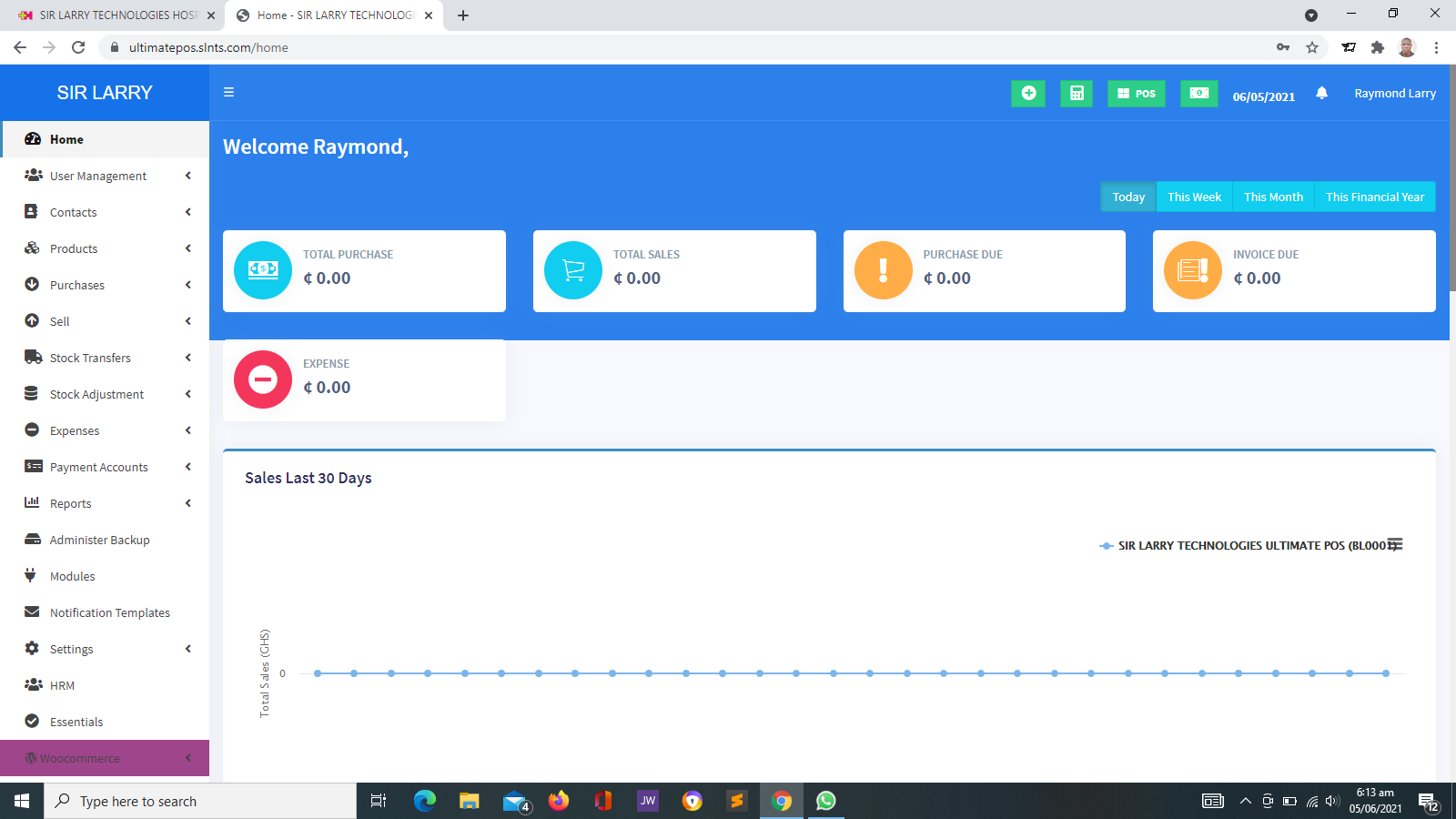
Sir Larry Technologies' POS system is used by more than 10 businesses, including pharmacies, over-the-counter medicine sellers and supermarkets. The specific features, integrations, deployment arrangements and support terms should be confirmed for each project.
The aim of a successful implementation is not simply to install software. It is to help the client select a practical solution, configure it for the required workflows, prepare users and establish a sustainable way to maintain the system.
18. Frequently Asked Questions
What is the evolution of business management systems?
It describes the progression from manual records and paper-based procedures to computerized applications, specialized business software, integrated platforms, web-based systems, cloud services and newer automation and AI-assisted capabilities.
Why have business management systems changed over time?
They have evolved in response to growing business complexity, higher transaction volumes, the need for faster access to information, changing customer expectations and advances in computing and communications technology.
Does every business need an ERP system?
No. Some businesses need only a focused POS, accounting, inventory or CRM system. An ERP platform may be appropriate when an organization needs to coordinate several business functions in one integrated environment.
Are cloud-based systems always better than desktop systems?
No. Cloud-based systems can support access across locations, while desktop or locally hosted systems may suit certain operational or connectivity requirements. The right choice depends on cost, infrastructure, security, access needs and available support.
Can a business management system work without internet access?
Some locally installed or specifically designed systems can operate offline, while many web-based systems require connectivity. Offline operation and later data synchronization must be confirmed as supported features rather than assumed.
Will a management system automatically eliminate errors?
No. Software can reduce certain manual errors, but inaccurate data, incorrect configuration, poor procedures and user mistakes can still cause problems. Validation, training and regular review remain important.
How much does a business management system cost?
Costs vary according to the software, required functions, number of users, licensing, development, hosting, data migration, training, integrations and ongoing support. Request a quotation based on your actual requirements.
How can a small business start?
Identify the most pressing operational problem, choose a system that addresses it, prepare reliable records, train the users and measure the results. Additional features can be introduced as the business grows.
Can existing business records be moved into a new system?
Often, yes, but the process depends on the format, quality and structure of the existing records and the capabilities of the new system. Data should be checked and backed up before migration.
Ready to Improve Your Business Operations?
The evolution of business management systems offers organizations more ways to organize information, coordinate work and serve customers. The key is to choose technology that fits your needs and can be managed effectively.
Contact Sir Larry Technologies to discuss website development, POS and inventory solutions, business management software or other digital services for your organization.
Visit Sir Larry Technologies