









Point of Sale (POS) & Inventory System
Discover how digital technology helps businesses process sales, manage stock, monitor business performance, record transactions and improve everyday retail operations.
1. What Is a Point of Sale (POS) & Inventory System?
A Point of Sale (POS) System is a digital solution used to record and process sales transactions. It helps businesses calculate purchases, apply appropriate prices and discounts, record payments and issue receipts.
An Inventory Management System helps businesses monitor products and stock. It can record stock received, stock sold, stock adjustments, transfers between locations and available quantities.
When both functions are integrated, a sale can automatically update inventory records. This reduces the need to enter the same transaction separately in different systems and helps keep sales and stock information aligned.
2. Why Do Businesses Need a POS & Inventory System?
Businesses such as supermarkets, pharmacies, shops, wholesalers and over-the-counter medicine sellers often handle many products and transactions every day.
Managing sales and stock manually can make it difficult to identify fast-selling products, monitor low stock, check transaction records and calculate daily sales accurately.
A suitable POS and Inventory System can help centralize these activities, improve transaction recording and give business owners a clearer picture of sales and stock movements.
3. Common Features of a POS & Inventory System
Available features vary by software and configuration. Common functions may include the following:
Sales Processing
Record items purchased, quantities, prices, discounts and transaction totals. A cashier can process a sale through the available checkout interface.
Inventory Management
Maintain product records and monitor stock quantities. Integrated systems can update available stock when sales and other stock movements are recorded.
Product & Pricing Management
Store product names, codes, categories, selling prices and other relevant details. Some systems also support barcodes and multiple price levels.
Receipts & Transaction Records
Generate receipts and maintain transaction histories for review. Receipt formats and printing options depend on the software and connected hardware.
Payment Recording
Record supported payment methods, such as cash, card or mobile money. Direct electronic payment processing may require compatible integrations and provider accounts.
Purchasing & Stock Receiving
Record stock purchased from suppliers, received quantities and relevant purchase information. This helps reconcile incoming goods with inventory records.
Low-Stock Monitoring
Set stock thresholds for selected products and identify items that may need replenishment. Alerts depend on the available system features.
Sales Reports & Dashboards
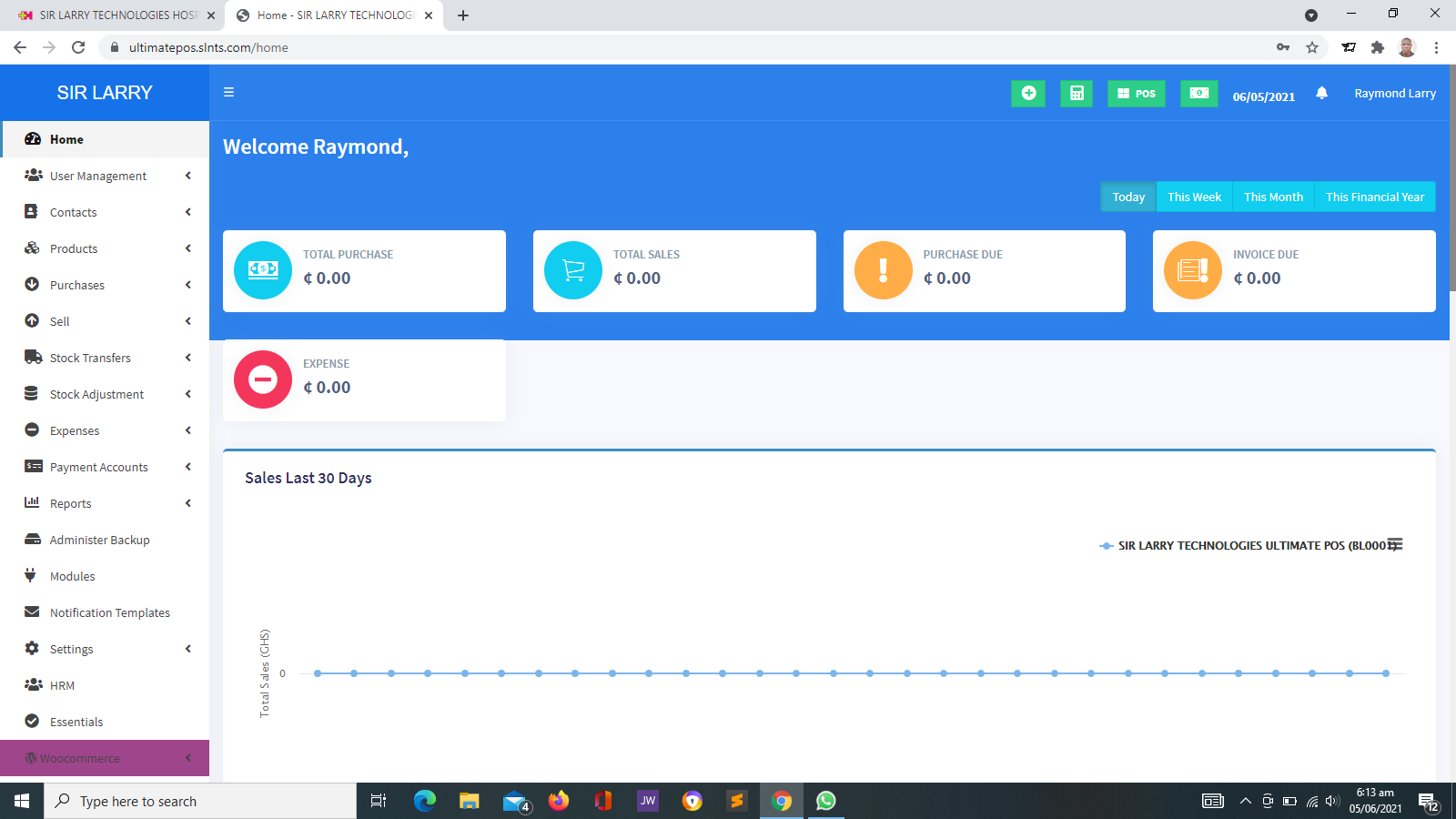
Review sales totals, transaction histories, product performance and other available business indicators over selected periods.
Staff Accounts & Permissions
Create user accounts and assign appropriate permissions to cashiers, supervisors, managers and administrators.
Returns & Adjustments
Record permitted sales returns, corrections and stock adjustments, helping businesses maintain more accurate transaction and inventory records.
Multiple Products & Locations
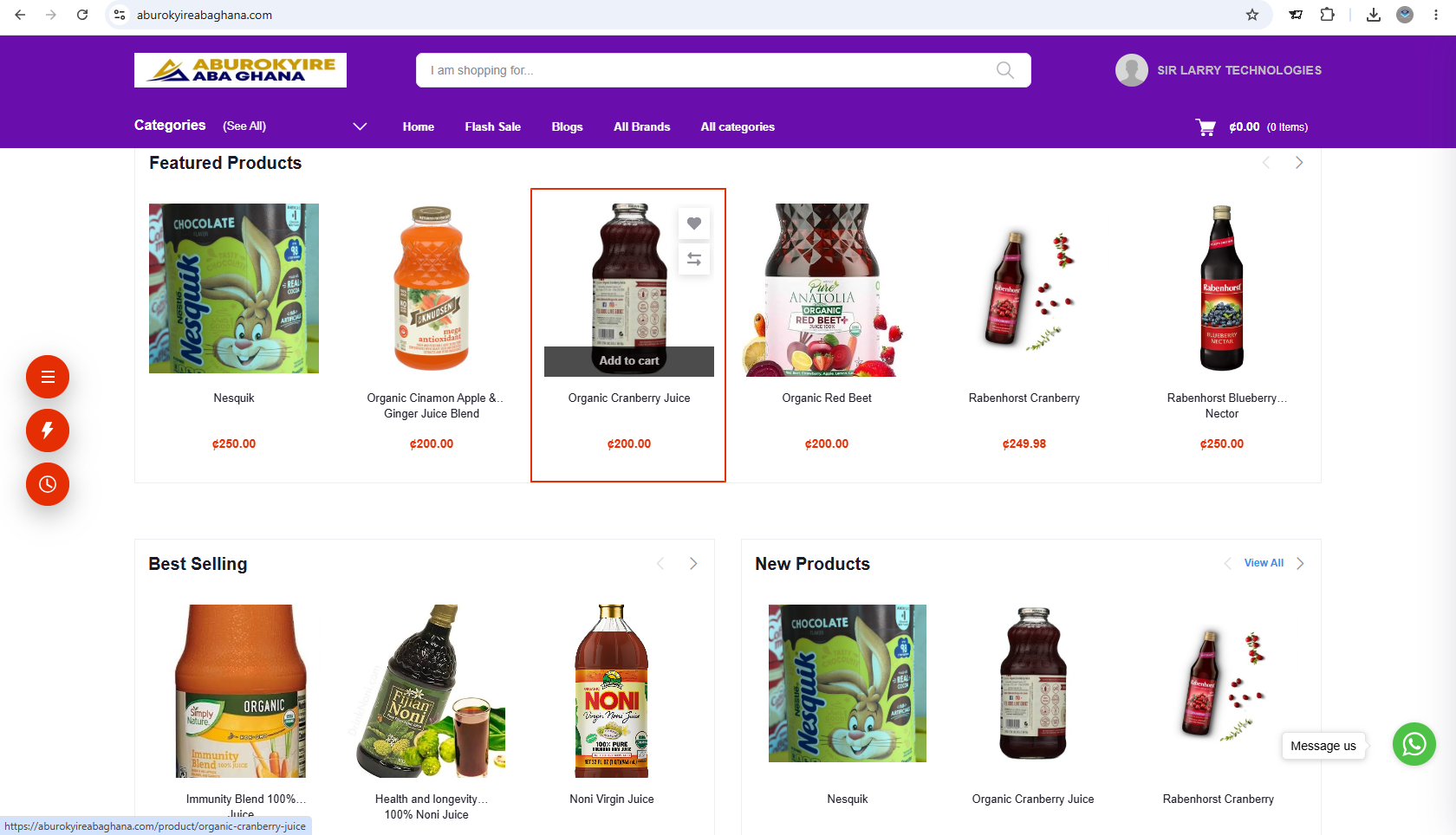
Organize products by category and, where supported, manage stock across branches, stores, warehouses or other business locations.
Transaction Control & Security
Apply user permissions and maintain relevant transaction records to support supervision, accountability and authorized access.
4. How POS and Inventory Work Together
One of the main advantages of an integrated system is the connection between sales and stock records.
- Step 1 — Register products: Enter the products the business sells, along with their relevant codes, prices and stock details.
- Step 2 — Record incoming stock: Enter purchases or stock received from suppliers according to the system's workflow.
- Step 3 — Process sales: Select the products and quantities purchased by the customer and complete the transaction.
- Step 4 — Update stock: In an integrated system, the sale updates the corresponding inventory quantities.
- Step 5 — Review reports: Check sales and stock information to help identify replenishment needs and business trends.
For example, if a shop records the sale of three units of a product, an integrated system can reduce the recorded stock quantity by three. The resulting balance is only reliable when the original stock records and subsequent adjustments are accurate.
5. Types of Businesses That Can Use POS Systems
POS and inventory solutions can support many types of businesses. The required features depend on the products sold, transaction volumes and operating procedures.
Retail Shops & Supermarkets
Record customer purchases, maintain product quantities, monitor fast-moving goods and review daily sales.
Pharmacies & Medicine Sellers
Support product sales and stock records for medicines and related products. Specialized requirements may include batch numbers, expiry dates and other pharmacy-specific controls.
Wholesalers & Distributors
Track goods received and sold, manage larger product quantities and review supplier and sales records where supported.
Electronics & Computer Shops
Organize product records, prices, stock levels and sales transactions for electronics, accessories and related equipment.
Cosmetics & General Merchandise
Manage different product categories, record sales and monitor available stock across a range of merchandise.
Other Trading Businesses
Businesses selling goods can assess whether POS and inventory software would help improve their transaction records and stock control.
6. Benefits of Using a POS & Inventory System
- Faster sales processing: A suitable checkout workflow can reduce repetitive manual calculations and product entry.
- Better stock visibility: Review recorded stock quantities and identify products that may need replenishment.
- More organized records: Maintain sales histories, product information and inventory movements in a structured format.
- Improved business monitoring: Use available reports to review sales trends and product performance.
- Reduced avoidable errors: Integrated calculations and stock updates can reduce certain manual-entry mistakes.
- Better staff accountability: Individual accounts and permissions can help managers review transactions and responsibilities.
- More informed purchasing: Use stock records and sales trends to help determine which products may need reordering.
- Support for business growth: A suitable system can make it easier to organize increasing volumes of products and transactions.
7. Understanding Sales, Stock and Profit
POS and inventory reports can help business owners understand what is happening in their businesses. However, sales revenue, stock value and profit are different measures.
Sales revenue represents the value of sales recorded over a given period, subject to the business's reporting rules.
Inventory value represents the value assigned to goods held in stock, using the valuation method applied by the business.
Gross profit is generally calculated by subtracting the cost of goods sold from net sales revenue. Net profit also takes account of other applicable expenses and income.
Reliable profit reporting depends on accurate product costs, transaction records, returns, discounts and other relevant accounting information. A POS system should not be assumed to replace a complete accounting system unless the required accounting capabilities are available.
8. Product Expiry Dates, Batches and Specialized Stock Control
Some businesses need more than a simple record of product quantities. Pharmacies, medicine sellers and businesses handling perishable or regulated products may need specialized inventory controls.
Depending on the business and the software, these may include:
- Batch or lot number recording.
- Product expiry-date monitoring.
- Stock tracking by location or storage area.
- Supplier and purchase-history records.
- Stock adjustment and reconciliation procedures.
- Alerts for products approaching expiry, where supported.
Important: Check Specialized Requirements Before Choosing
Not every POS system supports batch tracking, expiry alerts, serial numbers or regulated-product workflows. Businesses should verify that the required features are available before adopting a system for specialized inventory management.
9. Hardware and Payment Integrations
A POS system may operate on a computer, tablet or another compatible device. Depending on the setup, a business may also use additional equipment and connected services.
- Barcode scanner: Helps identify products during checkout when barcode support is available.
- Receipt printer: Prints customer receipts using a compatible printer and supported format.
- Cash drawer: Can be used with compatible POS hardware to organize cash transactions.
- Barcode label printer: Helps produce product labels where required.
- Payment integration: May connect supported card or mobile money payment services when the required provider integration is configured.
Hardware compatibility, payment processing, transaction charges and provider requirements should be checked before purchasing equipment or configuring integrations.
10. Security, Backups and Reliable Records
Sales and inventory records are important business assets. Businesses should protect them against unauthorized access, accidental changes, data loss and other operational risks.
- Use individual user accounts and suitable permissions.
- Restrict sensitive functions to authorized staff.
- Back up business data and test recovery procedures.
- Review transaction histories and stock adjustments.
- Protect devices and accounts against unauthorized access.
- Reconcile recorded stock with physical stock periodically.
- Maintain appropriate records for returns, corrections and voided transactions.
Good software supports sound business practices, but it cannot eliminate the need for supervision, stock counts, accurate data entry and responsible financial controls.
11. How to Choose the Right POS & Inventory System
Before selecting a system, consider the size of the business, the number of products, the way sales are processed and the reports management needs.
- Business type: Confirm that the system suits the products and transactions involved.
- Ease of use: Ensure staff can learn the checkout and stock-management workflows.
- Inventory requirements: Check support for categories, units, stock adjustments, expiry dates or multiple locations where necessary.
- Reporting: Review available sales, stock, purchasing and transaction reports.
- Payment methods: Confirm whether required payment services can be supported.
- Hardware compatibility: Verify supported printers, scanners and other equipment.
- Cost: Consider setup, licensing, hosting, maintenance, equipment and third-party charges.
- Support: Understand how updates, troubleshooting and maintenance will be handled.
- Data protection: Check user permissions, backup arrangements and recovery options.
12. Implementing a POS & Inventory System
Proper implementation helps ensure that the system reflects the business's actual products, stock quantities and sales procedures.
- Step 1 — Assess business needs: Identify the current challenges in sales, stock control and reporting.
- Step 2 — Prepare product records: Organize product names, codes, categories, prices and relevant stock information.
- Step 3 — Verify opening stock: Conduct an appropriate stock count before relying on the system's inventory balances.
- Step 4 — Configure the system: Set up users, permissions, product records and required workflows.
- Step 5 — Test sales and stock updates: Check transactions, receipts, reports and inventory changes before full deployment.
- Step 6 — Train staff: Teach users how to process sales, receive stock and handle permitted corrections.
- Step 7 — Monitor operations: Review reports, reconcile stock and correct discrepancies as part of normal business practice.
13. POS & Inventory Solutions from Sir Larry Technologies
Sir Larry Technologies provides technology solutions for businesses and organizations, including Point of Sale and inventory-related software solutions.
A suitable POS solution can help a business organize product records, process sales, monitor stock movements and review available transaction reports. The exact capabilities depend on the selected system, its configuration and any connected services.
Businesses considering a POS solution should identify their operational requirements before implementation. This helps ensure that the system, hardware, reports and support arrangements are appropriate for their needs.
Manage Sales. Monitor Stock. Make Informed Decisions.
Explore how POS and inventory technology can support your business operations. Visit Sir Larry Technologies to learn more about available business software solutions.
14. Conclusion
A Point of Sale (POS) and Inventory System can help businesses record transactions, maintain product information, monitor stock and review sales performance through organized digital records.
The right solution depends on the business's products, transaction volume, inventory requirements, budget and reporting needs. When combined with accurate records, trained staff and regular stock reconciliation, a suitable system can support more efficient and informed business management.